Browser extensionEnglish Updated
Dyscalculia number helper for your browser
Dyscalculia.io Number Helper shows any number on a web page in parts, in place value columns, in words and on a number line, converts units and fractions, scales recipes and works out sums, percent, bill and unit price step by step. It is free, needs no account, collects no data and works in Chrome, Edge, Firefox, Opera and Brave. The menus are in seven languages.
Add to Chrome, it's free
Install the number helper extension
Microsoft Edge Add-ons
Edge
In store review, link coming soon
Firefox Add-ons
Firefox (desktop and Android)
In store review, link coming soon
After installing, pin the extension to the toolbar. Shortcuts: Alt+Shift+N explain the selected number, Alt+Shift+H tooltips on or off. The calculator, fractions, units, recipe, percent, bill, unit-price and time helpers are in the toolbar popup.
Any number in parts, place value and words
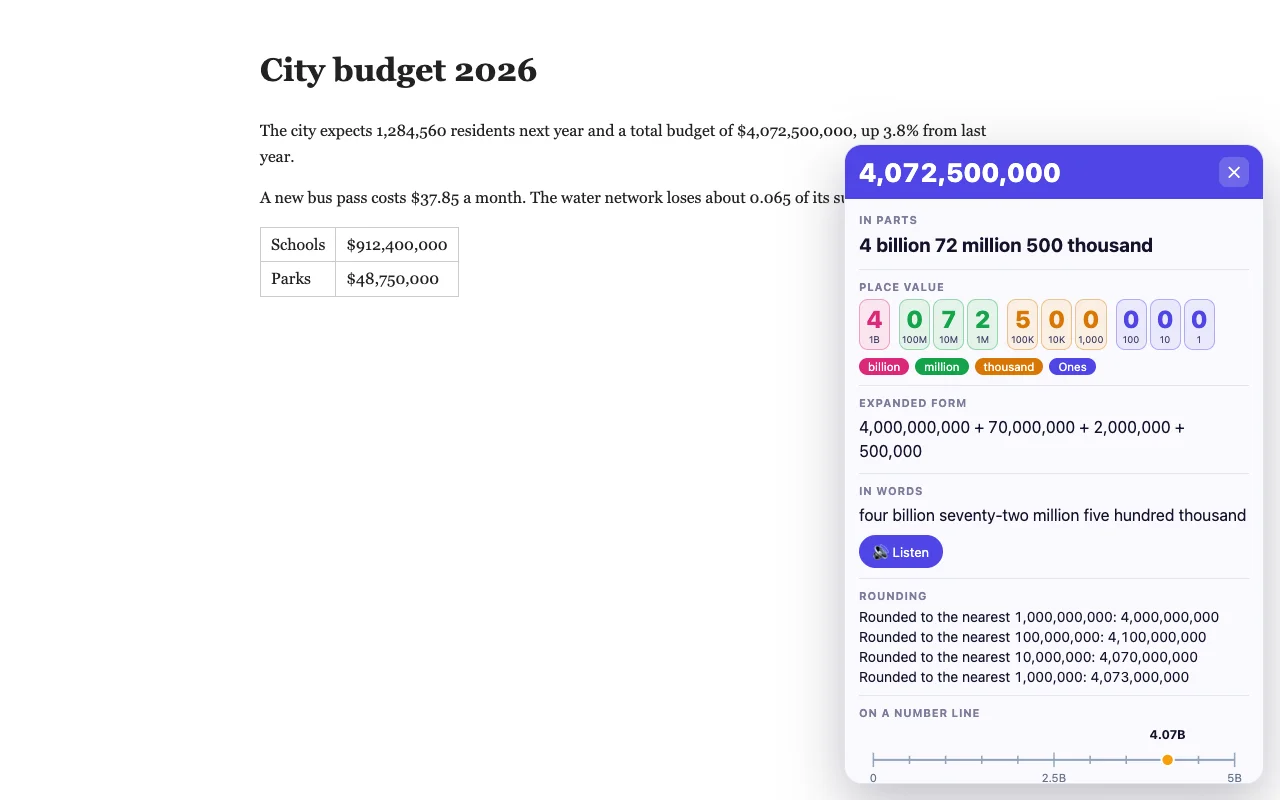
Select a number and press Alt+Shift+N, or right-click and choose Explain this number. 4,072,500,000 becomes "4 billion 72 million 500 thousand", every digit sits in its own coloured column with its value underneath, and the expanded form and the number in words are shown below, with read-aloud.
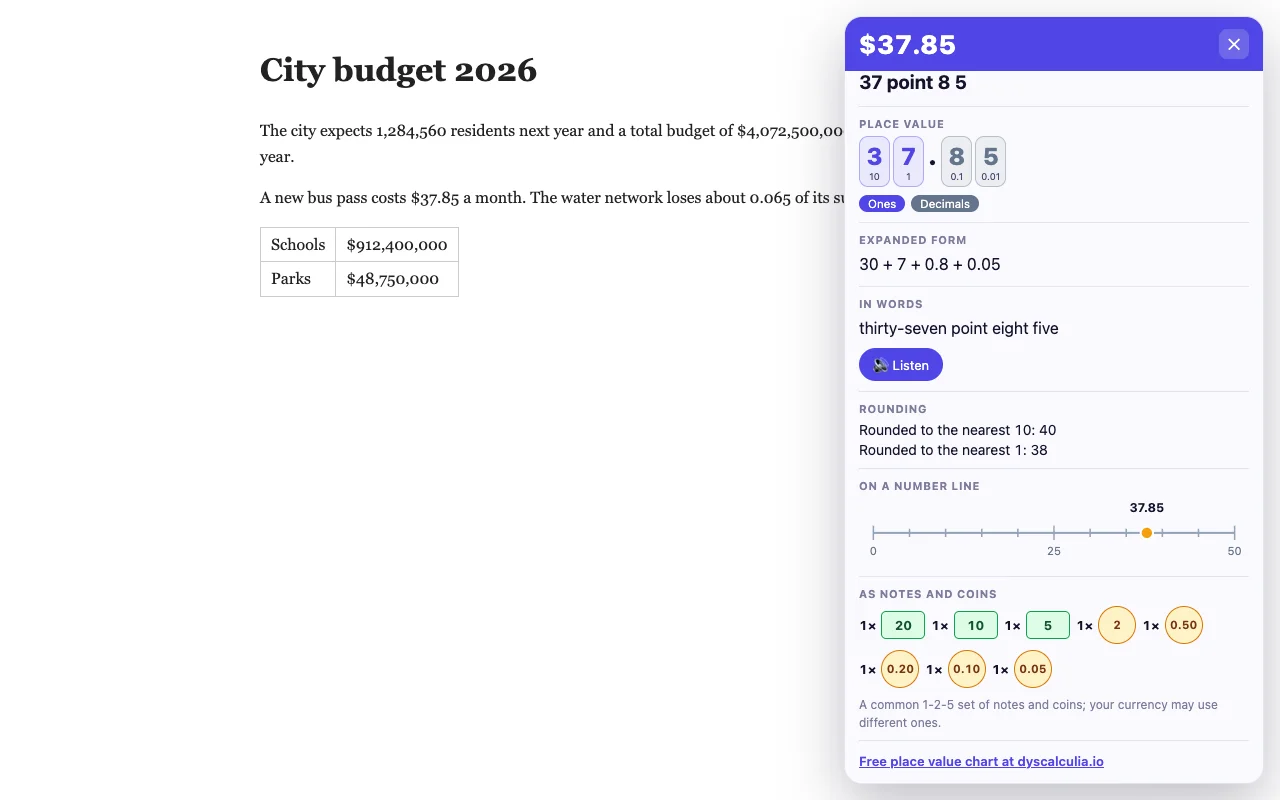
Rounding, number line and money breakdown
The same panel rounds the number step by step from coarse to fine, places it on a number line and, for amounts, breaks it into notes and coins. It understands 1,234.56 and 1.234,56, spaces as thousands separators, currency signs and percentages.
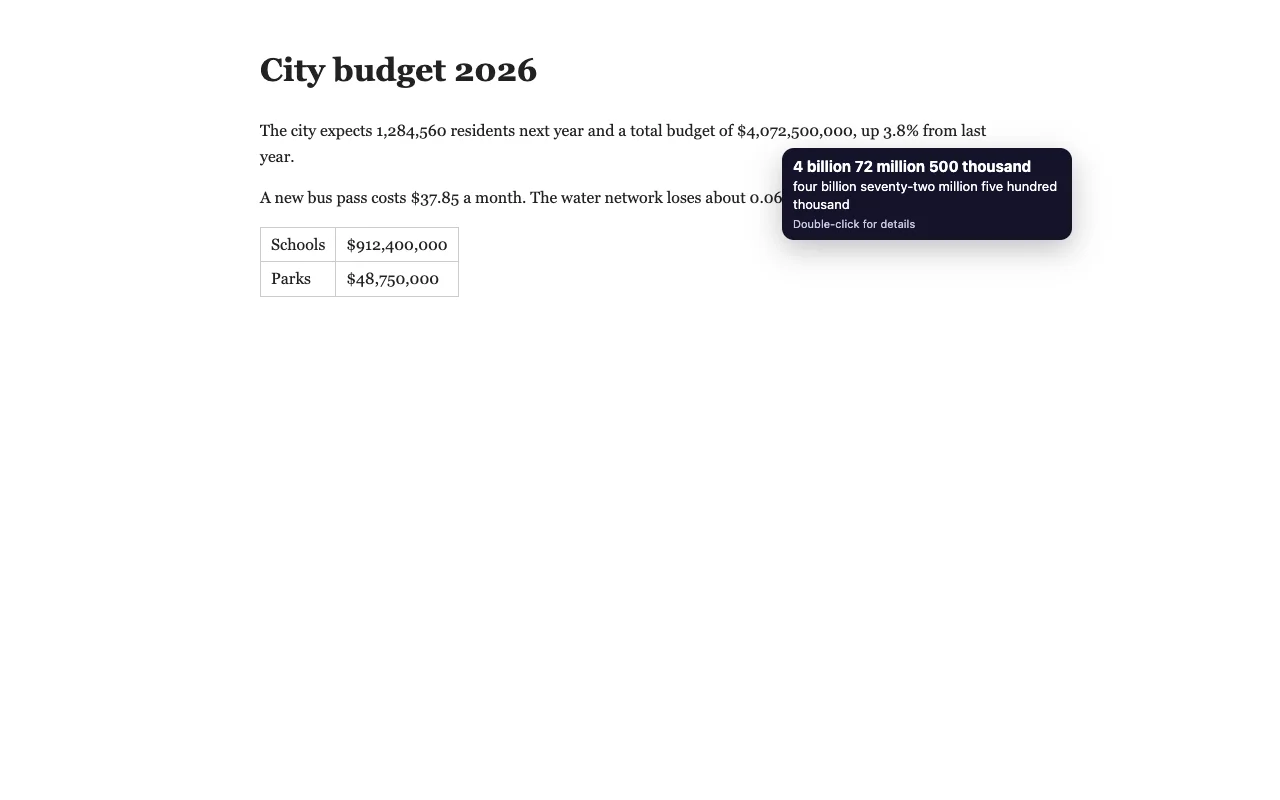
Optional tooltips on long numbers
Turn on "Show tooltips on numbers" and hover over a long number on any page to see it in parts; double-click for the full breakdown. Alt+Shift+H turns tooltips on or off.
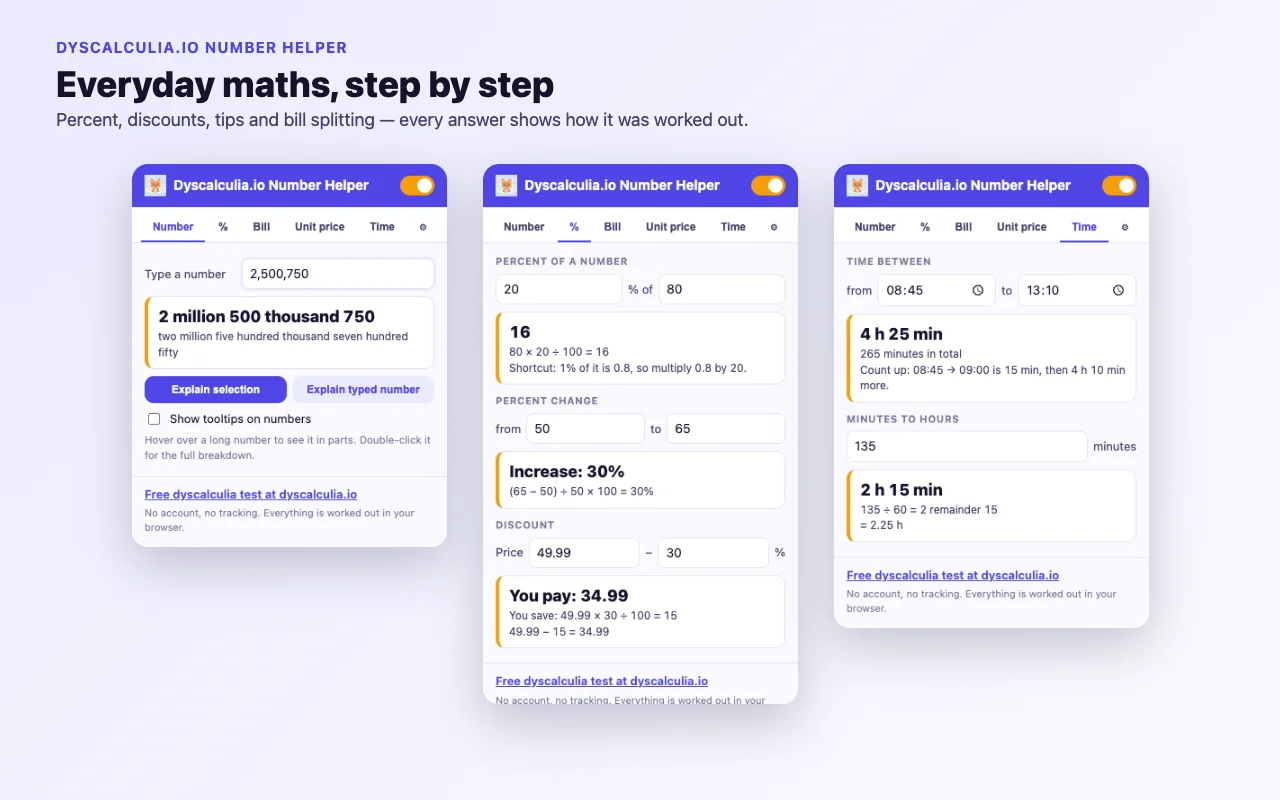
Percent, discount, tip and bill split, step by step
The toolbar popup works out percent of a number, percent change and discounts, a tip and an even bill split, and the time between two clock times. Every answer shows how it was worked out, so you can follow the steps instead of trusting a bare result.
Unit price: which pack is better value
Enter two prices and sizes to compare them per 100 g, per 100 ml or per item. The cheaper pack is marked and the sum behind it is shown.
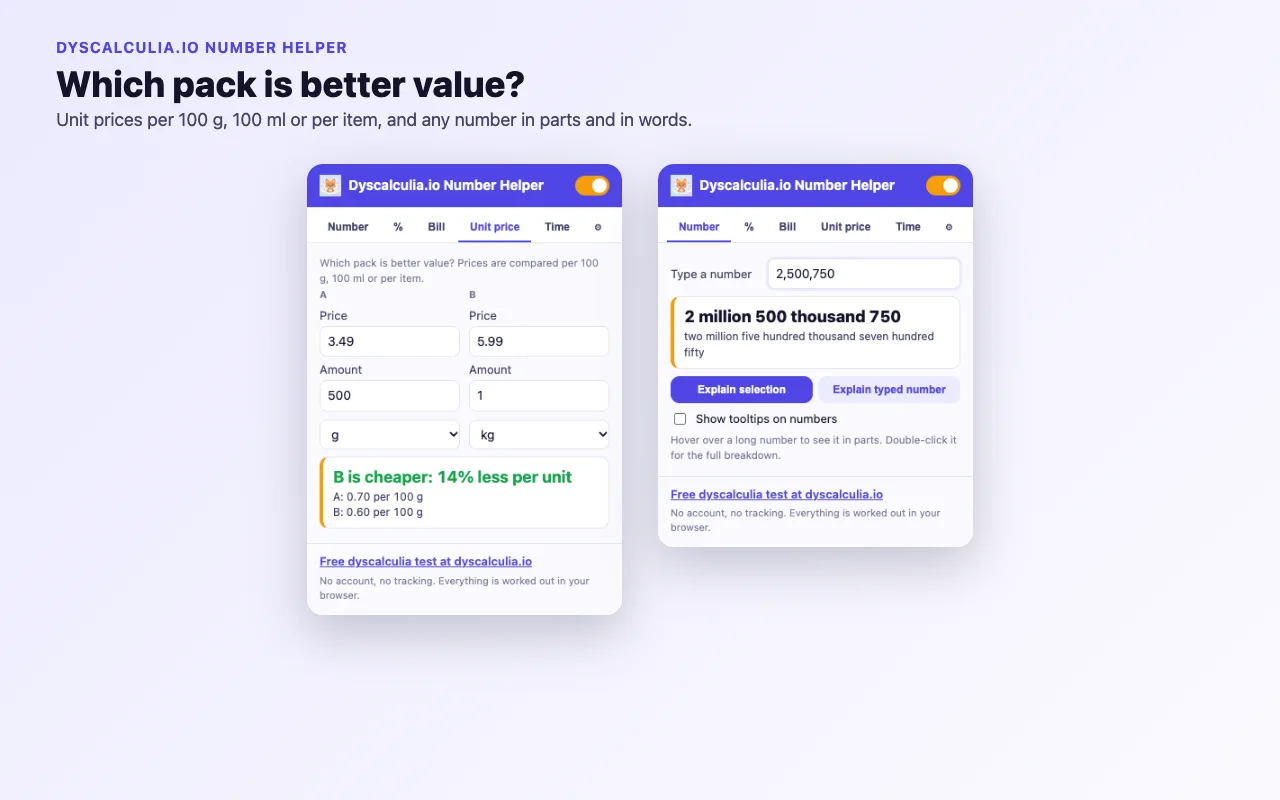
Unit converter for °F, lb, cups and feet on any page
Select "5 lb", "70°F" or "3 ft 2 in" on a page and choose Explain this number to see it in kg, °C or cm, with the formula behind it. The Units tab in the popup converts metric and imperial length, weight, volume, temperature and speed, and with tooltips on you can hover over a quantity to see it converted.
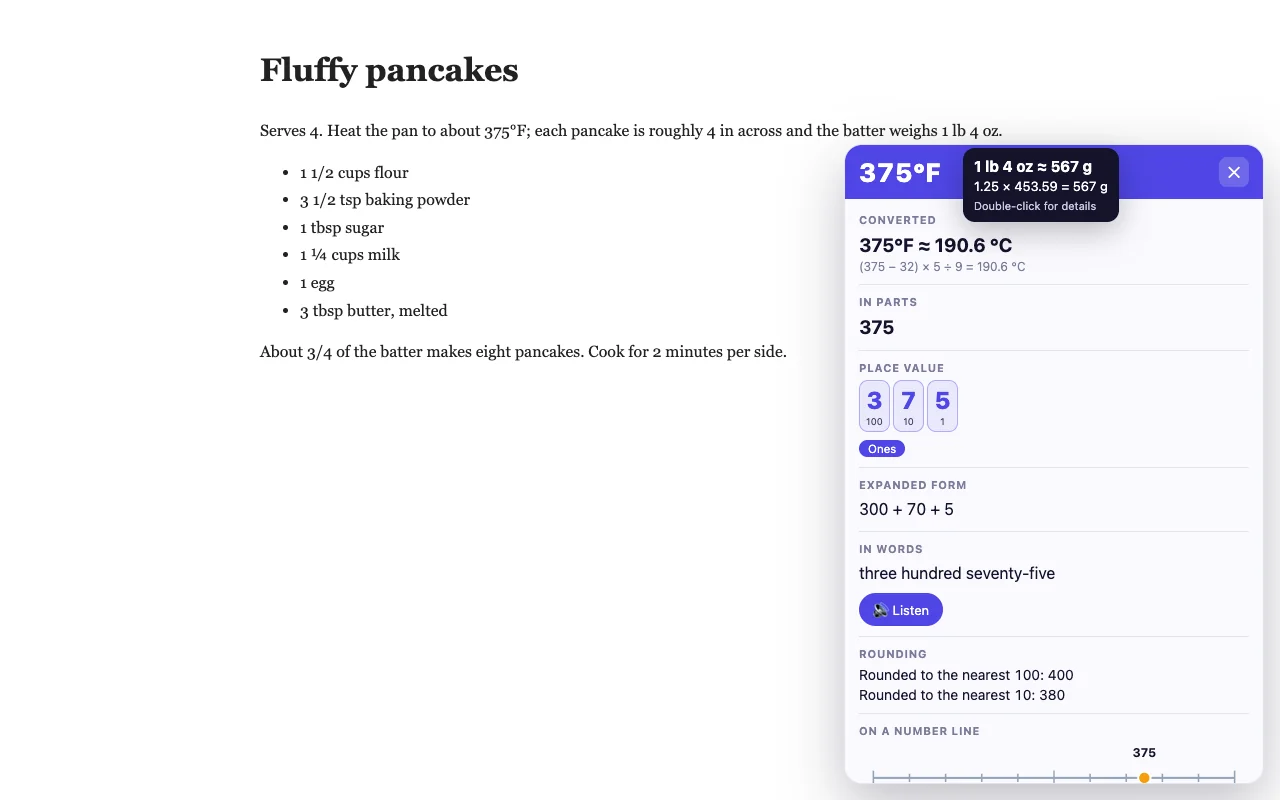
Fraction calculator and step-by-step calculator
Type 3/4, 1 1/2, 0.75 or 75% and see it as a fraction, a decimal and a percent at once, with the working and a bar and pie picture. The calculator works out a sum like 12 × 3 + 4 one step at a time, multiplying before adding, and in English, German, Spanish and Turkish says each step in words: "twelve times three is thirty-six".
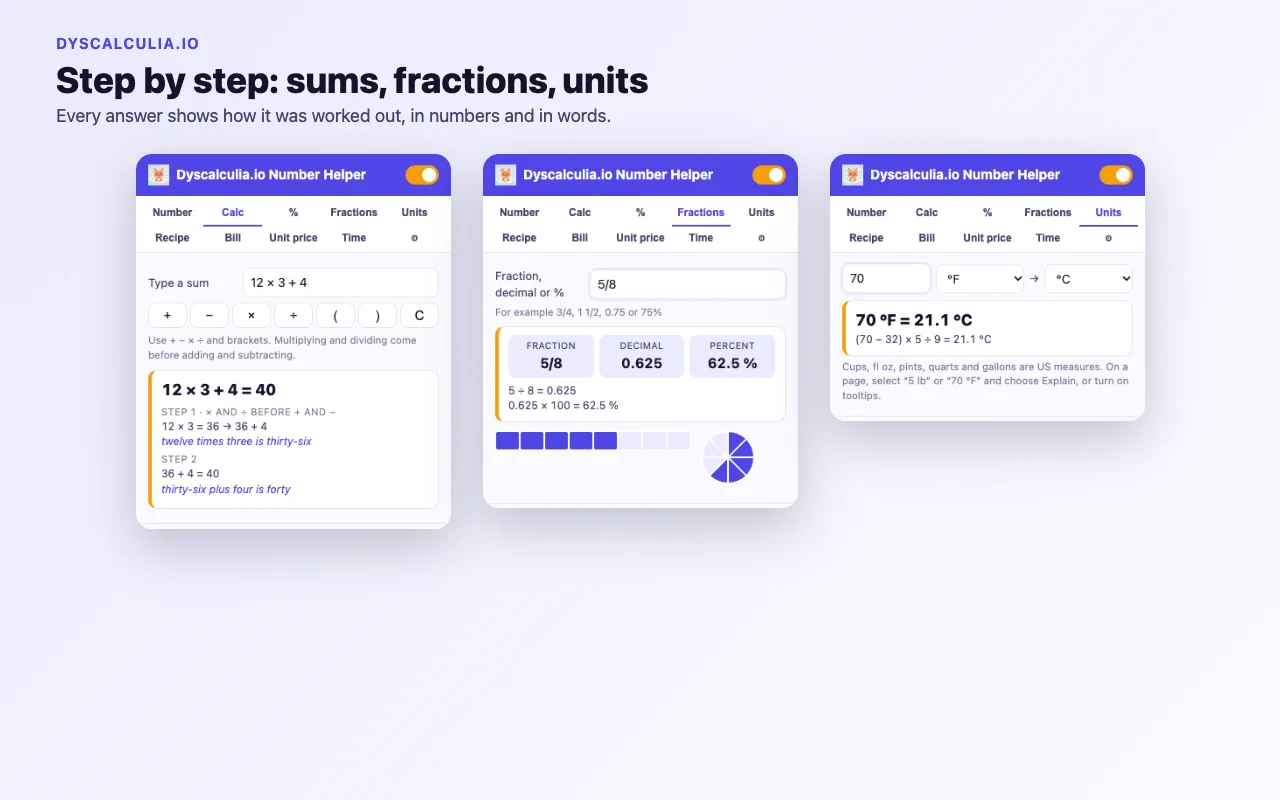
Recipe scaler and time zone converter
Select an ingredient list, right-click and choose Scale this recipe, then change 4 servings to 6: every amount is multiplied and the reason is shown (6 ÷ 4 = 1.5), and 1 1/2 cups stay kitchen fractions. The Time tab converts a clock time between time zones, summer time included, so 14:00 in New York shows as 20:00 in Berlin.
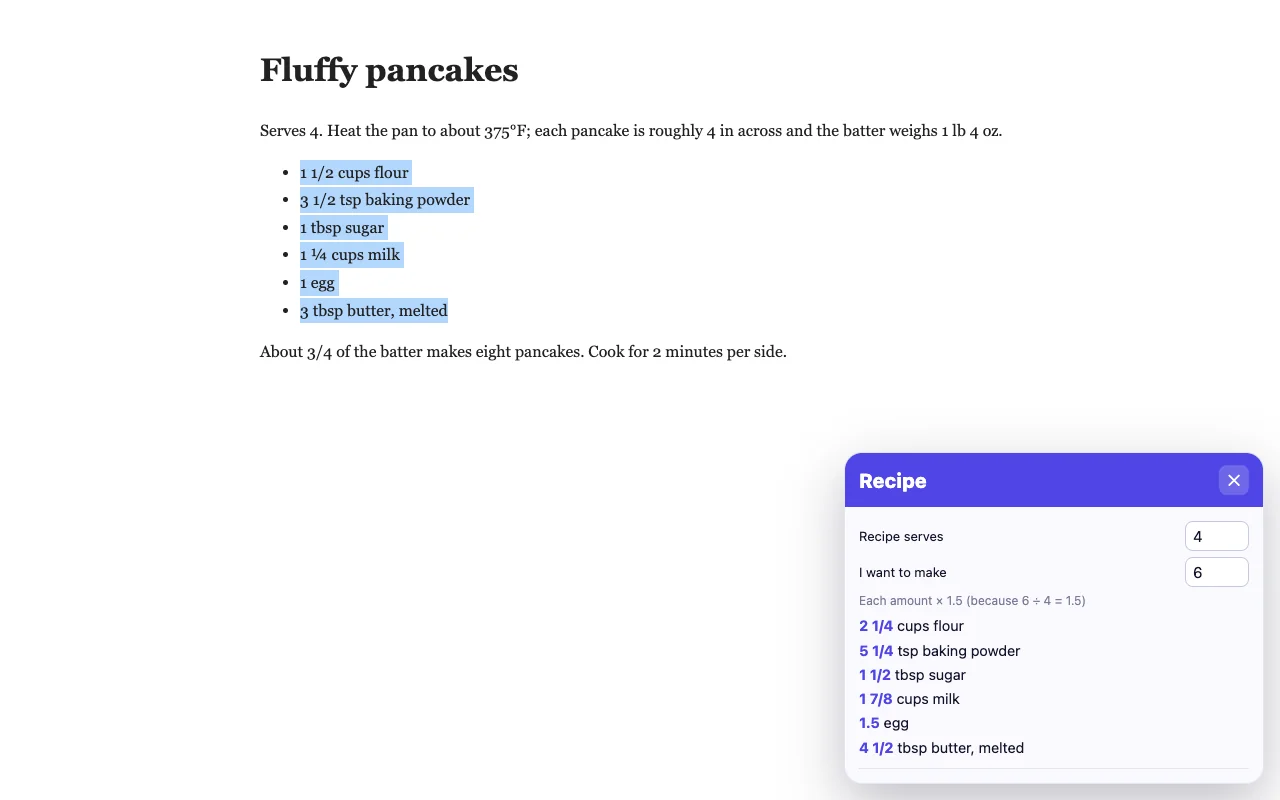
What the number helper can and cannot do
It is a support tool, like a calculator that shows its working: it lowers the load of everyday numbers but does not teach number sense or treat dyscalculia. The same place value view, with printable charts, is on the free place value chart.
Prices, bills and percentages are where dyscalculia in adults shows most in daily life. If comparing or estimating numbers is hard however they are shown, the free dyscalculia test checks the basic number skills behind it.
Privacy policy for the extension
Applies to Dyscalculia.io Number Helper, version 1.0 and later. Last updated 2026-11-27.
- The extension collects no personal data. There is no account, no analytics, no advertising and no tracking, and no number you select or calculation you make is sent to Dyscalculia.io or anyone else. Everything is worked out in your browser.
- Your settings (tooltips on or off, number language, voice, speech rate and the last popup tab) are saved with your browser's own sync storage, so they follow you if you are signed in to your browser. Uninstalling the extension deletes them.
- Read-aloud uses the voices already installed in your browser or operating system. Some browsers use online voices supplied by the browser maker; that is between you and your browser, and the extension does not see it.
- The unit converter, fraction calculator, recipe scaler, step-by-step calculator and time zone converter added in version 1.1 also work entirely in your browser and store nothing apart from the settings above.
- The extension only touches a page when you use it there: the popup, the right-click menu or a keyboard shortcut. If you turn on "Keep on for every site" so tooltips work everywhere, the browser asks you for permission to run it on every page; you can turn this off at any time.
- When you install or uninstall it, your browser opens this page so you can see what it does or tell us why you left. The page uses the same analytics as the rest of dyscalculia.io, described in our privacy policy.
- From version 1.0.1 the extension also counts, on your device only, on how many different days you have used it, so that after five days it can show a one-time link to rate it in the store. The count is never sent anywhere, and it is deleted when you uninstall the extension.
- The source code is public and MIT-licensed, so anyone can check these statements.
Source code: github.com/Dyscalculia-io/dyscalculia-extension. The website itself is covered by the Dyscalculia.io privacy policy.
Number helper extension: frequently asked questions
Is the Dyscalculia.io Number Helper free?
Yes. It is free, has no paid features and needs no account.
Does the extension help with dyscalculia?
It is a support tool, not a treatment. It makes everyday numbers on web pages easier to take in, by showing a number in parts, in place value columns, in words and on a number line, and by showing every step of a percent, bill or unit-price calculation. Number skills themselves improve with structured practice.
Which languages does it support?
The menus are in English, German, French, Spanish, Dutch, Portuguese and Turkish. Numbers in words, with read-aloud, and calculator steps in words are available in English, German, Spanish and Turkish; the "in parts" view, the converters and the fraction calculator work in all seven languages.
Does it work on PDFs?
Not in the browser's built-in PDF viewer, which extensions cannot change. The toolbar popup with the calculator, fractions, units, recipe, percent, bill, unit-price and time helpers works anywhere.
Can it convert units and fractions in a recipe?
Yes. Select a quantity such as 375°F or 1 lb 4 oz to see it in metric with the formula, or select the whole ingredient list and choose Scale this recipe to change the number of servings. Fractions like 1 1/2 cups are kept as kitchen fractions, and the Fractions tab turns any fraction into a decimal and a percent.
Can schools install it for all students?
Yes. Administrators can push it to managed Chromebooks and browsers from the Google Admin console or Microsoft Edge policies, like any other store extension. It needs no sign-in and collects no student data.
Is this a dyscalculia test?
No. If you want to know whether number difficulties might be dyscalculia, the free Dyscalculia.io screening test checks basic number skills with five short games; only a qualified professional can diagnose dyscalculia.